Edit Images Effortlessly with Image Edit 🎨
Image Edit powered by GPT Image 1.5 lets you transform photos using simple text prompts. Edit images instantly with professional results, character consistency, and high-quality output.
Image Editing
Precise image editing with SeeDream V4 - clothing, makeup, background replacement, etc.
Tip: Be detailed and specific for better results. Describe the subject, style, lighting, mood, and composition.
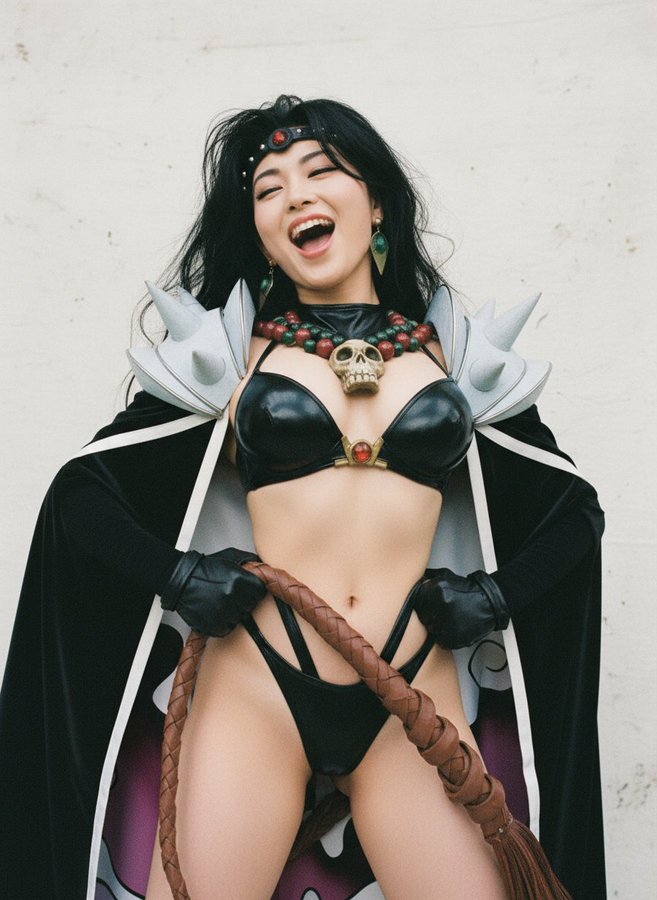
"Portrait with enhanced lighting and background blur"
Example Gallery
See what you can create with image edit
Powerful Image Edit Features 🌟
Professional image editing powered by GPT Image 1.5
GPT Image 1.5 Technology
Image Edit uses GPT Image 1.5 to deliver precise edits with natural language understanding. This advanced image editor interprets your editing intentions and applies changes while maintaining photo quality throughout the process.
Natural Language Image Editing
Simply describe desired changes in plain text with Image Edit. The GPT Image 1.5 powered editor interprets your instructions and executes complex edits automatically without manual tools or technical skills.
Character Consistency Excellence
Image Edit preserves character identity and object details across multiple modifications. GPT Image 1.5 ensures realistic results that maintain natural appearances and perfect consistency during editing.
Multiple Variations Generation
Generate several editing variations from one prompt with Image Edit. GPT Image 1.5 creates diverse options quickly, perfect for testing different styles and comparing outcomes.
High Quality Preservation
Every edit maintains high resolution and detail quality with Image Edit. GPT Image 1.5 enhances photos while preserving sharpness, color accuracy, and professional quality.
Lightning-Fast Processing
Image Edit completes editing tasks in seconds with GPT Image 1.5. The image editor delivers quick results without sacrificing quality for efficient creative workflows.
How to Use Image Edit in 3 Steps 🚀
From original photo to edited masterpiece with GPT Image 1.5
Upload Your Photo
Choose any image to edit with Image Edit. GPT Image 1.5 supports JPG, PNG, and WebP formats, ensuring compatibility with all your photos for smooth editing.
Describe Your Edits
Type simple instructions for changes with Image Edit. GPT Image 1.5 understands natural language and applies sophisticated editing operations based on your text commands.
Download Edited Results
Review results and download instantly from Image Edit. GPT Image 1.5 generates multiple variations to find the perfect version of your editing project.
Why Choose Image Edit? ✨
Advantages of GPT Image 1.5 powered image editing
Professional Quality Editing
Achieve results matching professional photo editing software with Image Edit. GPT Image 1.5 delivers studio-quality outcomes with high-resolution output accessible to everyone.
Fast Processing
Complete complex editing tasks in seconds with Image Edit. GPT Image 1.5 automation handles technical aspects instantly for lightning-fast results and efficient workflows.
No Skills Required
Edit photos without learning complicated software with Image Edit. Simple natural language commands guide GPT Image 1.5 to make professional modifications easily.
Affordable Image Editor
Access powerful editing capabilities with Image Edit without expensive software licenses. GPT Image 1.5 provides premium features at accessible prices for all creators.
Perfect Character Consistency
Image Edit maintains perfect character consistency and quality standards. GPT Image 1.5 ensures dependable performance with scene preservation across all editing operations.
Unlimited Creative Freedom
Experiment with various editing ideas with Image Edit. GPT Image 1.5 supports diverse editing styles, iterative refinements, and modifications for complete creative freedom.
Perfect Image Edit Solutions for Every Need 💡
Discover how creators use Image Edit powered by GPT Image 1.5
Portrait Photo Editing
Enhance portraits with natural adjustments using Image Edit. GPT Image 1.5 maintains authentic appearances with precise feature refinements and skin tone corrections.
Product Image Enhancement
Improve product photos with Image Edit by adjusting backgrounds and highlighting features. GPT Image 1.5 helps e-commerce sellers create professional product visuals effortlessly.
Artistic Style Transformations
Transform ordinary photos into artistic creations with Image Edit. GPT Image 1.5 applies different styles through natural language prompts with creative capabilities.
Social Media Content Creation
Create eye-catching images for Instagram and TikTok with Image Edit. GPT Image 1.5 optimizes photos for maximum engagement with professional quality.
Background Replacements
Change image backgrounds seamlessly with Image Edit. GPT Image 1.5 maintains natural lighting and perspective for realistic composite results with scene preservation.
Color Correction Excellence
Adjust colors, brightness, and saturation effortlessly with Image Edit. GPT Image 1.5 preserves natural tones while enhancing visual appeal and color accuracy.
Common Questions About Image Edit 💭
Everything you need to know about image editing with GPT Image 1.5
Upload your photo to Image Edit, describe editing changes in simple natural language, and let GPT Image 1.5 process your request. Results appear in seconds with professional quality for immediate download.
Be specific about changes with Image Edit. Describe colors, objects, styles, and effects clearly. GPT Image 1.5 understands detailed natural language instructions better for precise editing results.
Yes, use batch processing with Image Edit to apply similar editing operations to multiple photos. GPT Image 1.5 handles concurrent processing efficiently for significant time savings.
Image Edit supports JPG, PNG, WebP, and other common formats. Upload any standard photo format and GPT Image 1.5 processes it with professional quality output.
Use high-resolution source photos with Image Edit and write detailed edit descriptions. GPT Image 1.5 delivers better results with clear natural language inputs and quality originals.
Most editing tasks with Image Edit complete in 10-30 seconds. GPT Image 1.5 optimization ensures lightning-fast results even for complex operations.
Yes, your original photo remains unchanged with Image Edit. GPT Image 1.5 creates new versions, allowing you to try different editing iterations freely with perfect consistency.
Click the download button after editing completion with Image Edit. GPT Image 1.5 outputs download directly to your device in high quality resolution.
Yes, all edited images created with Image Edit are yours to use commercially. GPT Image 1.5 provides full rights for business and personal editing projects.
Describe the specific region in your natural language prompt with Image Edit. GPT Image 1.5 understands location references for targeted local editing operations on particular areas with precision.
Start Editing with Image Edit Today 🎨
Experience GPT Image 1.5 powered image editing with natural language
Professional Quality Image Editing